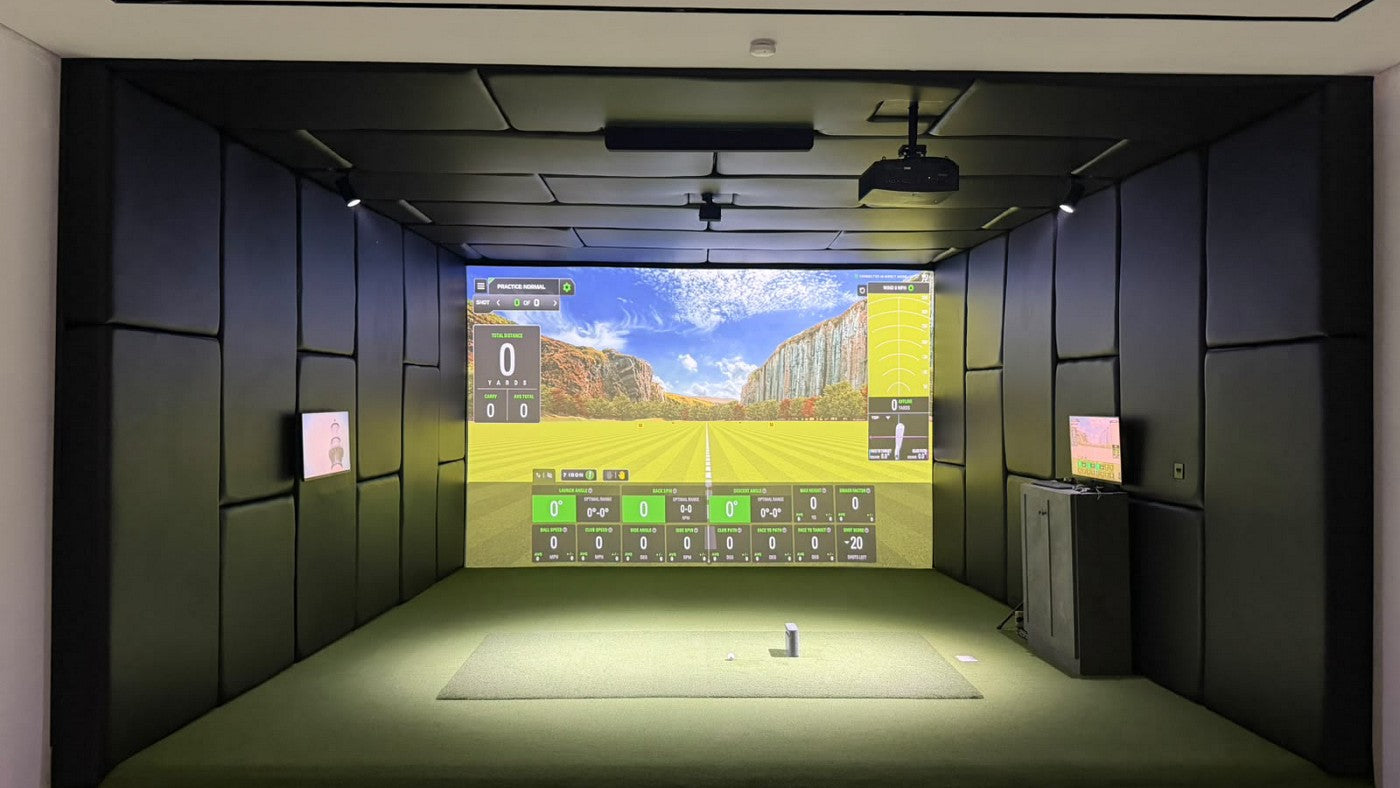
The BenQ AK700ST and TK710STi have the same published 0.69–0.83 throw-ratio range. Paying for the AK700ST does not buy a shorter mounting distance. It buys a different setup workflow: camera-assisted Auto Screen Fit, motorized adjustment and golf-specific features, alongside a higher rated light output.
Choose the AK700ST when those setup features solve a real problem in your golf room. The TK710STi deserves consideration when you are comfortable setting the image manually and want a 4K projector that also prioritizes streaming and responsive gaming. Both have eARC, so audio return alone does not decide this comparison.
This is a buying comparison based on BenQ's published specifications and our own room calculations, not a side-by-side image-quality test.
AK700ST vs TK710STi: the differences that affect your decision
| Buying question | BenQ AK700ST | BenQ TK710STi |
|---|---|---|
| Resolution | 3840 × 2160, native 16:9 format | 3840 × 2160, native 16:9 format |
| Rated brightness | 4,000 ANSI lumens | 3,200 ANSI lumens |
| Lens placement | 0.69–0.83 throw ratio; 1.2× zoom | 0.69–0.83 throw ratio; 1.2× zoom |
| Golf-screen alignment | Camera-assisted Auto Screen Fit and Quick Focus | Manual image setup; no AK700ST-style Auto Screen Fit |
| Audio return | eARC, listed as 7.1-channel | eARC, with Dolby Atmos listed |
| Built-in speaker | 10 W | 5 W |
| Published lag at 4K/60 Hz | 33.4 ms | 16.7 ms |
| Streaming arrangement | Plan an external streaming source | BenQ lists the QS02 Android TV dongle |
These are the US model specifications checked for this guide. Confirm the exact seller's package, condition and included accessories when comparing quotes. TK710STi, TK710, TK700ST and TK700STi are different model names; a similar-looking listing is not enough to establish the same lens or feature set.
First decision: can either lens produce the image you want?
For a native 16:9 image, multiply image width by 0.69 and 0.83. The results are the approximate near and far lens positions. Measure from the lens to the screen surface, not from the back of the projector, the ceiling plate or the wall behind the screen.
| Intended image | Optical frame used in the calculation | Nominal lens interval, either model |
|---|---|---|
| 10 ft wide, 16:9 | 10 × 5.625 ft | 6.90–8.30 ft |
| 12 ft wide, 16:9 | 12 × 6.75 ft | 8.28–9.96 ft |
| 10 × 7.5 ft golf image, using full native height | 13.33 × 7.5 ft before unused side areas are excluded | 9.20–11.07 ft |
The last row explains a common purchasing mistake. A 10-foot-wide 4:3 screen is taller than a 10-foot-wide 16:9 image. If the goal is to use its full 7.5-foot height, the underlying 16:9 optical frame is 13.33 feet wide. A calculator that uses only the visible 10-foot width answers a different question.
Worked example: suppose an existing ceiling position puts the lens 8 feet from a 10 × 7.5-foot screen. Both models can produce a 10-foot-wide 16:9 picture there: 8 ÷ 10 = 0.80, inside the published range. Neither reaches the full-height 4:3 planning interval at that position. Buying the AK700ST does not change that geometry.
Digital adjustment can reduce an oversized optical image. It cannot make a too-small optical frame cover a taller target while preserving the same level, straight-on geometry. Actual Auto Screen Fit operation also needs setup-pattern coverage and room for correction. Treat these figures as a shortlist calculation, then verify with the projector's test pattern.
Use our projector calculator for your screen dimensions. If the lens must sit considerably closer, compare the LK830ST before assuming either of these two is the right purchase.
What Auto Screen Fit is worth in your room
The AK700ST makes more sense when reaching the projector is awkward, the screen requires a non-16:9 golf image, or straightforward alignment matters more to you than minimizing the projector's price. Camera-assisted fitting and motorized adjustment reduce the amount of manual setup you need to manage.
That convenience has conditions. BenQ specifies a high-contrast border of at least 6 cm, about 2.4 inches, for the AK700ST and AH700ST. The setup pattern must cover the screen appropriately, and all 12 circle patterns must be inside the screen border when prompted. This is not the newer Auto Screen Fit 2.0 system used by other BenQ models.
Before paying for Auto Screen Fit, check three things: your visible screen has a clearly detectable boundary, you can position the lens within a workable optical range, and direct light will not obscure the setup pattern. A borderless white wall or an incorrectly placed mount can leave you doing manual work despite buying the automatic feature.
A fixed installation that you can comfortably align once may give you less ongoing benefit from automation. There is no honest universal dollar value for that difference. Compare the actual installation effort in your room, using the Auto Screen Fit setup checks before ordering.
Does 4,000 versus 3,200 lumens settle image quality?
The AK700ST's rated output is 800 ANSI lumens higher: a 25% increase over the TK710STi's rating. That is a specification comparison, not proof that a golf course will look 25% brighter in the picture mode you actually use.
Useful output changes with the selected mode, zoom position and other settings. Light landing directly on the impact screen also raises the apparent black level. We have not measured these projectors in matched modes on the same screen, so we do not claim a measured winner for contrast, color or usable golf-mode brightness.
For a room you can darken, evaluate the TK710STi on its complete feature set. For a room where higher rated output matters, the AK700ST belongs on the shortlist, but first address windows and lights aimed at the screen. Neither specification is a guarantee against washed-out images.
Movies, sound and gaming: three separate checks
Sound: both models list eARC. Check the selected projector port, soundbar or receiver, source format and cable path as one system. A bigger built-in speaker rating does not establish better sound at the seats or replace a surround system.
Streaming: BenQ lists a QS02 dongle with the TK710STi. For the AK700ST, include your chosen streaming device and its power arrangement in the plan. App availability and subscription requirements belong to that source device; HDMI inputs alone do not provide streaming apps.
Gaming: compare the same resolution and refresh rate. BenQ lists 16.7 ms at 4K/60 Hz for the TK710STi and 33.4 ms for the AK700ST. Their faster 1080p figures describe different signal modes. They are not 4K/240 Hz claims, and projector input lag is only one part of total simulator response.
If golf and movie night share one impact screen, also plan the change in image shape. Our golf-and-movies projector guide works through the mounting and source-switching decisions.
Compare the installed cost, including what you already own
Write down each current delivered projector quote, then add only the equipment that particular choice needs: the compatible mount, power and signal runs, streaming source, audio connection and any installation labor. Do not count a receiver or cable twice if you already own it.
Calculate the difference as AK700ST installed total minus TK710STi installed total. Ask what the extra amount solves. If it buys a simpler fitting process that your screen supports, that can be worthwhile. If it is meant to fix an 8-foot mounting position that needs to be 9.2 feet or farther back, it does not solve the problem.
When replacing an existing projector, the shared throw-ratio range does not certify the same bracket, screw pattern or cable clearance. BenQ lists different body depths for these models. Verify the mounting drawing and connection space before treating the swap as a drop-in replacement.
Which route should you take?
- Choose AK700ST when you want 4K golf, the room suits its lens range, and camera-assisted fitting and motorized setup address a real inconvenience.
- Consider TK710STi when its manual setup is acceptable and its streaming package or lower published 4K/60 latency matters more to your use.
- Check LK830ST when a close lens position is the binding constraint. Its fixed 0.496 throw ratio changes the placement calculation; it does not provide the AK700ST's camera-assisted fitting workflow.
- Check AH700ST when you want Auto Screen Fit but a 1080p output is sufficient. It shares the AK700ST's published lens range, so it is a resolution-and-budget alternative rather than a closer-mount solution.
Compare current options: AK700ST price and specifications, LK830ST for a closer mounting position, or AH700ST for 1080p Auto Screen Fit.
If the mounting decision is still unresolved, send the visible screen width and height, lens-to-screen distance, ceiling height and a room photo through our simulator planning page. Those measurements are more useful than a projector shortlist alone.
Method: BenQ US specifications and setup documentation checked October 18, 2026. Distances are original calculations for a level, straight-on native optical frame before additional digital correction. No hands-on performance measurements are claimed.