
For Garmin R50’s direct HDMI output, start with the BenQ AH500ST or AH700ST according to lens position. For a separate PC producing a 4K simulator picture, consider LK830ST or AK700ST. LK936ST becomes relevant when its longer throw, optical lens shift or higher rated output solves a particular installation problem.
The key distinction is the video source. Garmin documents the R50’s external-display output as 1080p. A 4K projector does not turn that direct feed into native 4K source detail.
There are two different systems to buy for
| System | Video path | Projector decision |
|---|---|---|
| Direct R50 display | R50 A/V output → HDMI → projector | Choose for a 1080p source, screen shape and available lens position |
| PC-based simulation | R50 connected through supported software → PC video output → projector | Choose for the PC’s actual rendered resolution and room geometry |
In the second system, the PC produces the picture sent to the projector. That is a different route from plugging the projector directly into the R50. Confirm the software’s current Garmin integration, license requirements and computer specification before buying around it.
GSPro currently lists Garmin R50 among supported launch monitors. Its license and computer are separate parts of a PC-based plan. Do not assume a projector purchase supplies either, or that the R50’s built-in display functions require the same equipment as third-party PC simulation.
Five BenQ options, with a reason for each
| Model | Best reason to shortlist it | Throw ratio | Our checked price |
|---|---|---|---|
| AH500ST | Direct 1080p source with a close fixed lens position | 0.499 fixed | $1,999 |
| AH700ST | Direct 1080p source with a longer zoom range and golf setup features | 0.69–0.83 | $2,299 |
| LK830ST | A 4K PC source with a close fixed lens position | 0.496 fixed | $2,499 |
| AK700ST | A 4K PC source with golf-oriented setup and optical zoom | 0.69–0.83 | $2,899 |
| LK936ST | An installation benefiting from lens shift, longer placement or higher rated output | 0.81–0.89 | $4,899 |
These are conditional recommendations, not a ranking of measured image quality. A more expensive projector can be the wrong purchase if its lens puts it in the swing path or if its extra resolution never reaches it from the source.
Direct HDMI: choose the lens before paying for 4K
For a 10-foot-wide native 16:9 picture, the AH500ST needs approximately 4.99 feet from lens to screen. The AH700ST permits approximately 6.9–8.3 feet.
If your usable lens position is near 5 feet, begin with the AH500ST. If it is around 7.5 feet, begin with the AH700ST. Their $300 price difference is worth evaluating against the cost of moving a mount or changing the room layout.
Check the R50’s current external-display settings and the desired screen shape. A native 16:9 throw example should not be reused without adjustment for a full-height square presentation. Test the actual display mode and usable image area before final mounting.
PC-driven 4K: budget for the source that delivers it
If you plan a capable PC running the simulator at 4K, the LK830ST and AK700ST offer different lens layouts. For the same 10-foot native-width example, LK830ST is approximately 4.96 feet from the screen; AK700ST is 6.9–8.3 feet.
Before choosing, price the PC, simulation license, projector and any new cable or mount together. An existing PC may be suitable, but verify performance at the intended settings. The projector’s 4K input support is not a performance benchmark for the computer.
If you intend to switch between direct R50 use and PC simulation, document both signal paths. Confirm the projector input arrangement, cable connections and image settings for each. A system that looks simple on a product list can become inconvenient if changing sources requires climbing a ladder or moving equipment around the mat.
When the LK936ST is justified
The LK936ST has 5,100 ANSI lumens and optical lens shift, with a 0.81–0.89 throw range. Those features may matter in a larger installation or where the lens cannot occupy the preferred centered position.
For a 10-foot native-width image, its nominal distance is 8.1–8.9 feet. Confirm that range, the permitted lens-shift envelope and the full body position against the room. Do not pay its premium simply because it is the highest-priced model in the list. A straightforward direct-HDMI R50 setup may have no use for the extra installation capability.
An R50-specific pre-order checklist
Record whether you will play directly from the R50, through a PC, or both. Name the software and identify which device supplies the video for each mode. Then note usable screen dimensions, external-display aspect ratio, lens positions, cable lengths and the intended location of the R50 beside the ball.
Finally, account for the R50 when changing players or rearranging the hitting area. The projector can stay fixed while the monitor’s setup must still follow Garmin’s instructions. Do not let a neat ceiling installation distract from the floor-level equipment and swing layout.
Will a 4K BenQ improve the direct R50 signal to true 4K?
It can display and scale the incoming signal, but the direct R50 output remains a 1080p source. Native 4K detail requires a source that actually supplies it.
Is a PC required just to project the R50’s external display?
No. Garmin documents direct connection to a compatible external display. A PC is a separate choice for the PC-based software workflow described here.
Should I buy the projector before choosing the enclosure?
Establish the usable image rectangle and permissible lens positions first. Otherwise, you risk selecting a projector whose optics do not suit the eventual screen shape or mounting location.
Our starting recommendation is AH500ST for close direct-HDMI layouts and AH700ST for the longer zoom range. Move to LK830ST or AK700ST when a planned 4K source gives you a reason, and to LK936ST when its installation capabilities solve a measured need.
Sources
Garmin external-display guidance, Garmin’s explicit 1080p output note, GSPro supported monitors and PC guidance, BenQ lens-distance guidance and LK936ST specifications. Indoor Golf Kit USD prices checked October 28, 2026; source, software and installation costs are separate.
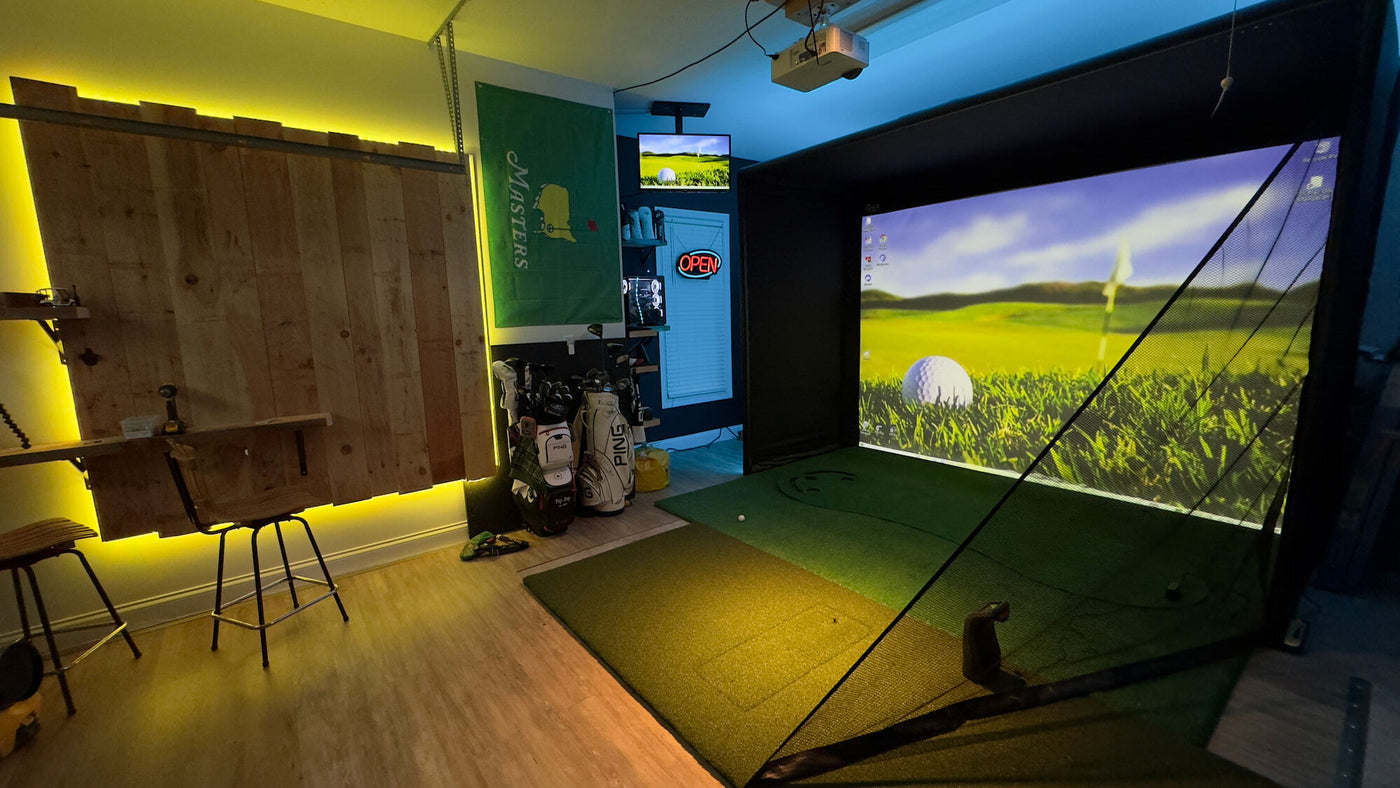
Cover: installation example from Carl’s Place’s room gallery. The pictured equipment is not the exact component list evaluated in this article.