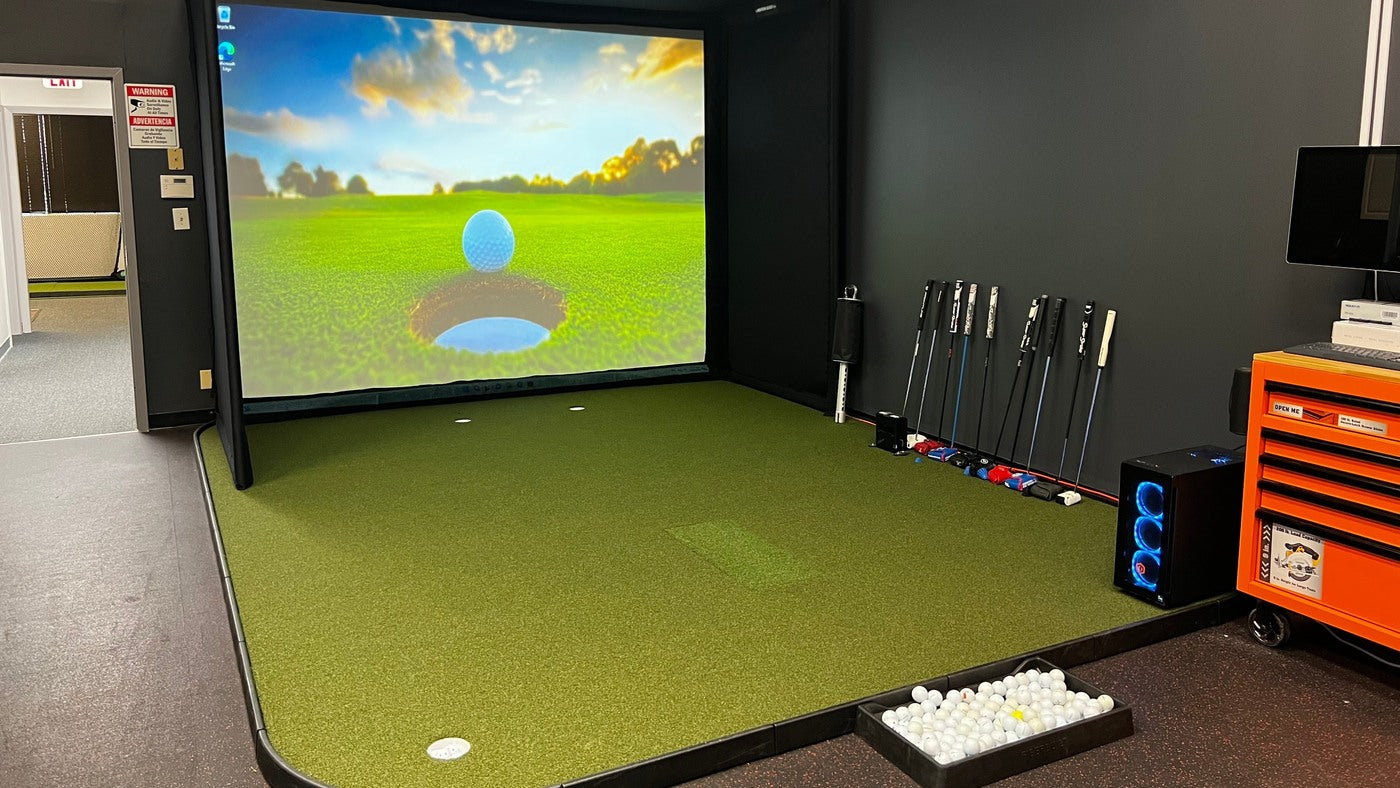
For a SIG8, SIG10 or SIG12 enclosure, shortlist BenQ LK830ST when a close lens position is important, AK700ST when you have room for its longer throw and want 4K with Auto Screen Fit, or AH700ST when the same longer mounting range fits a Full HD setup. Then check lens height. Distance alone does not prove that the projector will fit beneath your ceiling.
Compare the current specifications and prices for LK830ST, AK700ST and AH700ST. Use the SIG-specific calculations below before choosing one.
Use the image area, not the enclosure's product number
| Enclosure | Published image area W × H | Intended image shape | Image height used below |
|---|---|---|---|
| SIG8 | 91 × 91 inches | 1:1 | 91 inches |
| SIG10 | 121 × 91 inches | 4:3 | 90.75 inches |
| SIG12 | 137 × 103 inches | 4:3 | 102.75 inches |
The two 4:3 calculations use width ÷ 4 × 3 to keep the theoretical image within the published box. Those quarter-inch differences reflect rounded product dimensions; measure the installed viewable area before a final setup. Finished screen fabric, black borders and the outside frame have different dimensions.
Where the lens starts for each enclosure
All three projectors use a native 16:9 optical frame. For these full-height square or 4:3 examples:
Full optical width = intended image height × 16 ÷ 9.
Lens-to-screen distance = full optical width × throw ratio.
The ratios used are 0.496:1 for LK830ST and 0.69–0.83:1 for AK700ST and AH700ST. These calculations assume a centered image, no digital shrinking and no keystone correction. Auto Screen Fit may require extra image coverage around the border.
| Enclosure | LK830ST | AK700ST | AH700ST |
|---|---|---|---|
| SIG8 | 6.69 | 9.30–11.19 | 9.30–11.19 |
| SIG10 | 6.67 | 9.28–11.16 | 9.28–11.16 |
| SIG12 | 7.55 | 10.50–12.63 | 10.50–12.63 |
Measure from the lens to the screen plane, not from the ceiling bracket or back of the projector. These are optical starting points, not drilling coordinates.
The useful surprise is that SIG8 and SIG10 need almost the same projection distance in this calculation. Their usable image heights are nearly identical, even though one screen is square and the other is wider. Multiplying the square screen's width directly by a 16:9 throw ratio would give the wrong starting point.
The second purchase check: can the lens sit high enough?
BenQ's projection tables show that LK830ST and AK700ST have different vertical offsets. For an ideal centered ceiling installation, the lens sits above the upper edge of the native projected frame. The LK830ST table implies an offset of about 14% of image height; AK700ST's table is about 2.5%.
For the SIG10 example's 90.75-inch image, those offsets are approximately 12.7 inches for LK830ST and 2.3 inches for AK700ST. These are calculations from the manuals, before corrections or resizing.
Suppose the top of your intended image is 95 inches above the finished floor. An ideal LK830ST lens height would then be about 107.7 inches. Under a 108-inch ceiling, that leaves only about 0.3 inch from lens center to ceiling. That is not enough information to approve an installation: the chassis, mount and ventilation requirements must also fit.
This is why the shortest throw is not automatically the best projector for a low ceiling. AK700ST may offer a more practical vertical geometry in a particular room, but it still needs its longer projection distance. AH700ST also lists a 102.5% full-height offset, but verify the mounting and chassis dimensions in its own manual before installation.
If your planned position requires tilting, digital correction or moving the image, evaluate the resulting picture and usable area explicitly. Do not assume Auto Screen Fit or keystone creates physical clearance.
Which BenQ should you choose?
Choose LK830ST when close projection is the deciding benefit
LK830ST is the first candidate when the lens needs to be near the approximately 6.7-foot position for SIG8/SIG10, or 7.6 feet for SIG12, under the assumptions above. Its fixed optical throw makes accurate positioning especially useful.
Check the ceiling geometry just as carefully as the depth. If both fit, LK830ST provides a 4K projector option with a significantly closer lens position than the two 700ST models.
Choose AK700ST when 4K and automated alignment fit your room
AK700ST combines 4K output, optical zoom and Auto Screen Fit. Shortlist it when the table's longer lens range is available and the source running your golf software can deliver the image quality you intend to use.
The manual calls for the initial image to extend beyond the screen's borders during Auto Screen Fit. It also specifies a border requirement at distances greater than three meters. Do not place the lens at the mathematical edge of the range and assume every automated alignment condition has been met.
Choose AH700ST when Full HD is an intentional choice
AH700ST belongs on the shortlist when its optical range works and your build is planned around 1080p. It shares the 0.69–0.83 throw range used here, so spending more for AK700ST changes the resolution proposition, not the basic horizontal mounting range.
If your source or software is the limiting factor, preserve a complete-system budget. You can compare the two directly in our AH700ST versus AK700ST buying guide.
What happens on a square SIG8 screen?
A 16:9 projector and a 1:1 screen can be planned together, but the source image and projector settings must agree. BenQ's documentation includes square-screen provisions; the resulting square image does not use the full width of a native 16:9 picture.
Do not stretch a course image just to remove bars. Check whether your software can render the intended shape while keeping menus and shot information visible. Use the existing LK830ST Screen Fill guide for that model's configuration, or the AK700ST/AH700ST Auto Screen Fit guide for setup details.
Finish the purchase with a mount and signal plan
Before ordering, write down the selected SIG enclosure, installed viewable width and height, image-bottom height, intended lens distance and lens height. Add the projector body's position, mount compatibility, ventilation clearances, cable route and source output.
Check the light path against the golfer and enclosure, and keep the apparatus outside the required swing area. An enclosure purchase does not establish projector-mount compatibility. BenQ recommends testing the real projector at the intended position before permanent installation.
A useful complete quote includes the projector, suitable mount, required cabling and any installation changes. A lower projector price can cease to be the lower-cost solution if it requires moving power or rebuilding the mounting location.
Order from the geometry that works
- Check LK830ST price and specifications when close projection and its vertical geometry both fit.
- Check AK700ST price and specifications when the longer range fits a 4K build with Auto Screen Fit.
- Check AH700ST price and specifications when that range fits a Full HD build.
Sources and calculation notes
Checked October 19, 2026. Screen areas come from The Indoor Golf Shop's SIG8, SIG10 and SIG12 specifications. Optical assumptions and installation checks use BenQ's LK830ST series manual, AK700ST manual and AH700ST manual. Distances and the ceiling example are our calculations, not measurements from installed test rooms. The final position requires an on-site check.