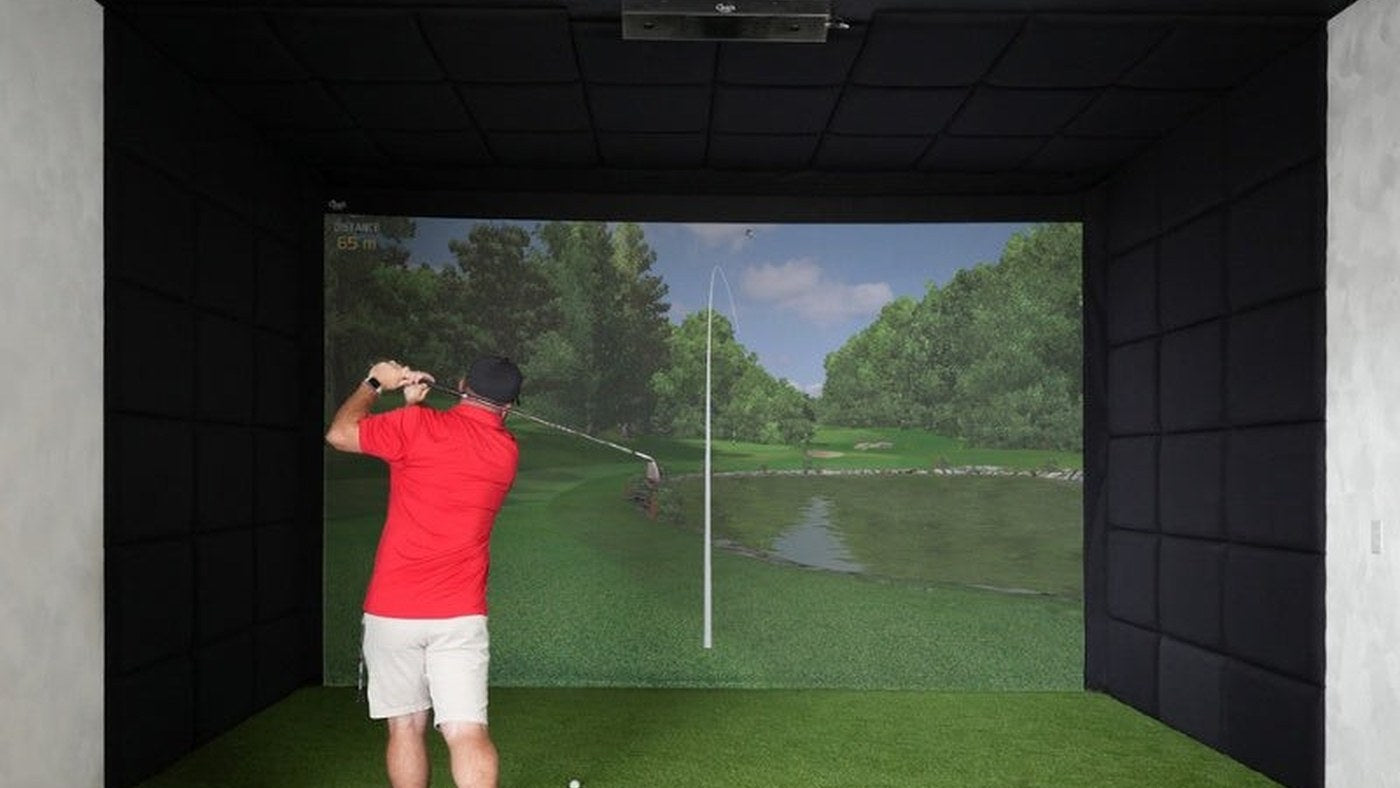
The best BenQ golf simulator projector for your room is the one whose lens can fill your chosen image from a safe mounting position. Start with that measurement, then choose resolution and brightness. A more expensive projector cannot compensate for a lens that does not fit the bay.
This guide compares six short-throw options: AH500ST, LH860ST, AH700ST, AK700ST, LK830ST and LK936ST. It is a shortlist for a home golf room, not a claim that every BenQ projector has the same installation requirements.
Six models, three installation decisions
| Model | Display resolution | Rated ANSI lumens | Throw ratio | Main reason to shortlist it |
|---|---|---|---|---|
| AH500ST | 1920 × 1080 | 4,000 | 0.499:1 | 1080p from a close, fixed lens position |
| LH860ST | 1920 × 1080 | 5,000 | 0.5:1 | More rated light output in the close-throw group |
| AH700ST | 1920 × 1080 | 4,000 | 0.69–0.83:1 | Adjustable placement and automatic screen-fitting workflow |
| AK700ST | 3840 × 2160 | 4,000 | 0.69–0.83:1 | 4K with the same throw-ratio range as AH700ST |
| LK830ST | 3840 × 2160 | 4,000 | 0.496:1 | 4K from a much closer lens position |
| LK936ST | 3840 × 2160 | 5,100 | 0.81–0.89:1 | Higher rated brightness and optical lens shift |
Rated brightness is a specification, not a measurement of the image in your room. Screen area, picture mode and light falling on the screen affect the result. Optical lens shift moves the image through the optics; digital keystone and screen fitting reshape the image electronically. They solve different problems.
A ten-foot-wide image: where does the lens go?
Multiply native image width by throw ratio. For a ten-foot-wide 16:9 image, the approximate lens-to-screen distances are below. These are lens distances, not ceiling-mount bolt positions or minimum room depths.
| Model | Calculated lens distance |
|---|---|
| AH500ST | 4.99 ft |
| LH860ST | 5.00 ft |
| AH700ST or AK700ST | 6.90–8.30 ft |
| LK830ST | 4.96 ft |
| LK936ST | 8.10–8.90 ft |
The table assumes the full 16:9 image. A square or 4:3 screen needs another calculation. A ten-foot-wide 16:9 image is only 5.625 feet tall. It will not fill a ten-by-7.5-foot screen from top to bottom without changing the projected image geometry or losing content. Decide whether you want unused screen area, cropping or a supported custom resolution before selecting the mounting point.
If the close-position 4K option fits your room, the LK830ST review checks the source signal, image size and installation trade-offs before purchase. For a tall or square screen, use the LK830ST Screen Fill calculations before marking its lens position.
Every pairing in the six-model shortlist
| Comparison | What should decide it? |
|---|---|
| AH500ST vs LH860ST | Similar throw ratio; compare rated brightness and installation offset |
| AH500ST vs AH700ST | Close fixed placement versus a farther adjustable lens range |
| AH500ST vs AK700ST | Both resolution and lens position change; measure before upgrading |
| AH500ST vs LK830ST | Close-throw 1080p versus close-throw 4K |
| AH500ST vs LK936ST | A major change in mounting position, resolution and optical adjustment |
| LH860ST vs AH700ST | More rated lumens versus zoom and automatic fitting workflow |
| LH860ST vs AK700ST | Close 1080p brightness versus farther 4K placement |
| LH860ST vs LK830ST | 5,000-lumen 1080p versus 4,000-lumen 4K at similar throw ratios |
| LH860ST vs LK936ST | Brightness figures are close; resolution, distance and lens shift differ |
| AH700ST vs AK700ST | The cleanest resolution-focused comparison in this group |
| AH700ST vs LK830ST | 1080p with zoom versus close-placement 4K |
| AH700ST vs LK936ST | Check 4K PC capability and the new optical mounting envelope |
| AK700ST vs LK830ST | Similar rated brightness and resolution; lens location is the main fork |
| AK700ST vs LK936ST | Automatic fitting workflow versus lens shift and more rated output |
| LK830ST vs LK936ST | Very close fixed lens versus farther placement with optical adjustment |
This matrix is a routing tool. For a focused decision, read the existing AH500ST vs AH700ST guide, AH700ST vs AK700ST upgrade guide, AK700ST vs LK830ST room-fit comparison or AK700ST vs LK936ST guide.
A useful upgrade has to solve a specific problem
If your current 1080p image looks soft but the room is dark and the lens placement works, investigate a resolution upgrade and PC output first. If the picture washes out only when ceiling lights are on, change where those lights fall before assuming 4K will fix it. Resolution does not restore contrast lost to room lighting.
If your problem is a beam, a ceiling obstruction or a projector sitting in the club path, compare the lens envelope. A 0.5:1 projector and a 0.8:1 projector are not substitutes simply because both are described as short throw. Mark the proposed lens and the entire projector body, then rehearse the tallest player's longest-club swing with no ball.
For a new build, record four items before requesting a quote: visible image width and height, available lens distance, ceiling height above the hitting surface, and your intended software output resolution. Use our simulator calculator to organize the room plan, then check the selected BenQ installation drawing. That sequence gives the hardware comparison a concrete purpose.
Sources and product details
This is a specification-based buying guide, not a hands-on test. Specifications and listed configurations were checked October 10, 2026. Follow the current manual for the exact version you order.
- AH500ST specifications
- AH700ST specifications
- AK700ST specifications
- LK936ST specifications
- LK830ST specifications
- LH860ST specifications
Once a lens fits your planned screen and mounting position, add the BenQ projector to your simulator build. Review it alongside the enclosure, monitor and mat so the complete room plan stays consistent.