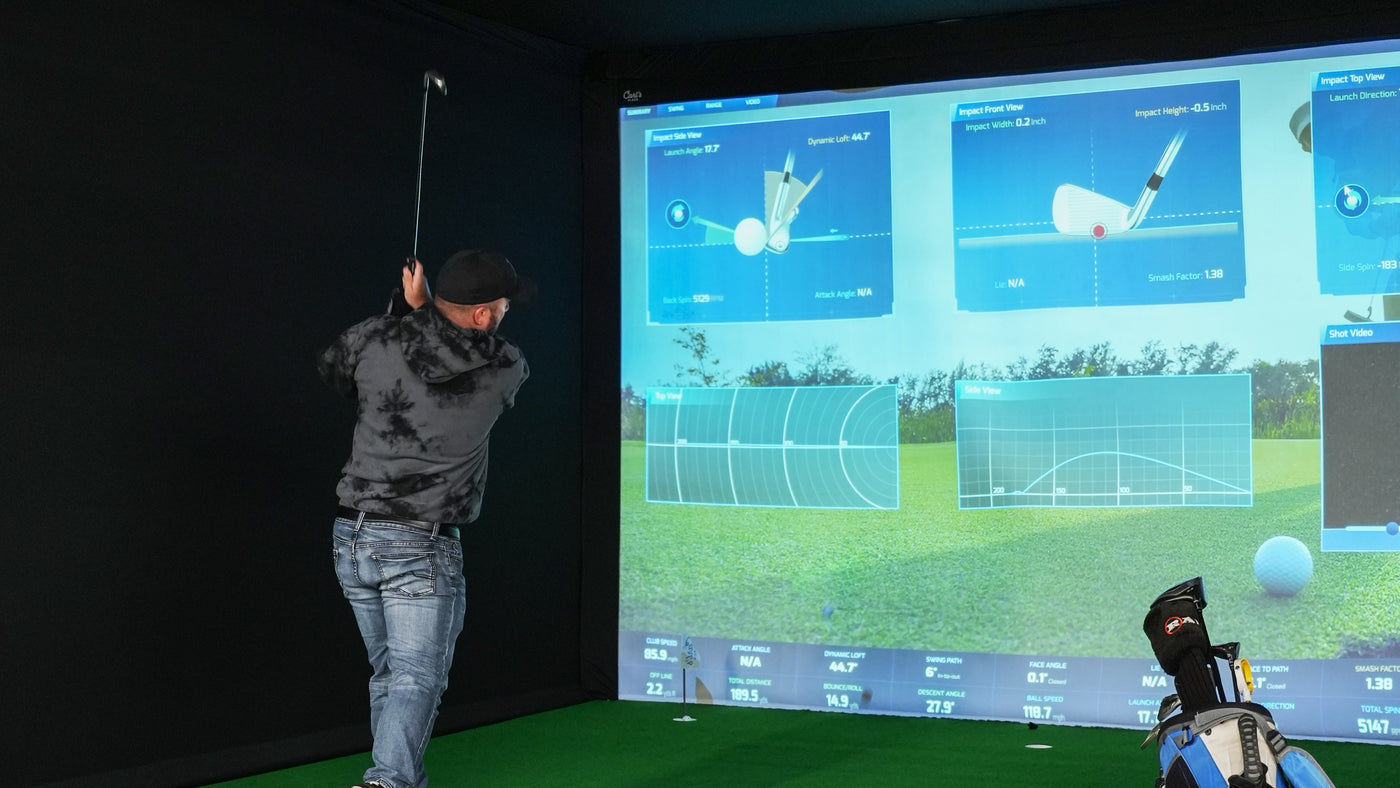
To build a home golf simulator, establish a usable hitting position first, choose a launch monitor and software combination that works there, then match the enclosure, projector, mat and computer to that plan. Finish by checking the complete installation before your first full practice session.
This guide walks through that sequence with a concrete result for each step. Keep the Indoor Golf Kit Simulator Builder open as your equipment list. You can compare components, account for equipment you already own, and save your choices with “Copy build link.”
What you need for a home golf simulator
| Part | Job | Decide before buying |
|---|---|---|
| Launch monitor | Measures the shot and supplies data to the software | Indoor space requirements, handedness, connection and supported software |
| Impact screen and enclosure, or suitable net | Receives the ball and provides the planned containment | Exact dimensions, clearance and whether projection is part of the setup |
| Hitting mat and surrounding floor | Provides the stance and ball-strike surfaces | Finished height, hitting-zone alignment and replacement options |
| Projector or separate display | Shows practice data and simulation | Image size, resolution, lens position and connection |
| Compatible computer or supported device | Runs the monitor software and simulator application | The requirements for both applications at your intended resolution |
| Software and applicable licenses | Provides the practice tools and course play you choose | Exact device compatibility, edition, access and renewal terms |
| Installation parts | Completes the physical and wired setup | Pipes, approved mounts, cables, adapters and any room preparation |
A net-and-display practice arrangement can avoid a projector purchase. A projected simulator needs a suitable impact screen and the lens placement to fill it. Decide which experience you want before comparing packages with different contents.
Step 1: define who will play and how the room will be used
Write down the intended players, handedness, clubs and main purpose. Daily practice for one right-handed golfer is a different project from group course play with left- and right-handed guests. A dedicated bay is different from a garage that must return to parking after every session.
Also decide what you already own. Record the exact launch monitor, computer specifications, display and software edition. “I have a laptop” is not enough to establish compatibility, and an existing software license may cover a different device or platform.
Result: a one-paragraph brief describing the players, practice or course-play priorities, existing equipment and the room's other jobs.
Step 2: measure the finished playing area
Measure width at the screen and at the ball, total usable depth, and height above the surface you will stand on. Include beams, lights, doors, garage tracks and any other fixed obstacles. If flooring is still planned, deduct its finished height rather than measuring only from the slab.
Mark a tentative ball position. Check that each intended golfer can move normally with the planned clubs, beginning with slow movements in a cleared space. Stop if clearance is uncertain. A frame fitting inside the room does not prove that the swing fits.
Allocate depth to the wall-to-screen space, screen-to-ball distance and the remaining space behind the ball. Confirm the requirements for the chosen screen and monitor rather than relying on one universal room-size minimum.
For garage projects, use the garage room-measurement worksheet. For detailed component placement, use the Simulator Calculator.
Result: a measured sketch with a candidate ball position, obstacles and the final floor height.
Step 3: set a budget for the complete project
Separate equipment, room work and ongoing software costs. The enclosure price may omit pipes. The computer may need a video cable or adapter. Course play may require software access beyond the launch monitor's included practice tools.
Use the three-year simulator budget guide to record these separately. Put current selected equipment prices in one column and unresolved installation or license costs in another. An unknown cost should remain visible, rather than being treated as zero.
If the budget is tight, separate essentials from later upgrades. You may prioritize a workable hitting surface and monitor before a larger display or extra practice cameras. Avoid spending the whole budget on one component and leaving the room unfinished.
Result: an equipment allowance, a room-work allowance and a list of recurring costs to verify.
Step 4: choose the launch monitor and software together
Compare where each monitor must sit, the ball area it measures and the connection it needs. A side-mounted camera unit, an overhead unit and a device behind the golfer impose different layout constraints. Check the exact model's manual before assuming it can occupy an available corner.
The Uneekor five-model comparison and overhead versus portable guide can help narrow the options. For a fixed indoor example, EYE MINI LITE uses a compatible PC, power and Ethernet; it does not turn an arbitrary computer or room into a complete simulator by itself.
Before ordering, write down the full software chain: monitor model, manufacturer application, simulator application, required access plan and supported computer platform. Confirm each link. Included practice software and optional course simulation are different entitlements.
Use the E6 CONNECT versus E6 APEX license guide or GSPro versus E6 CONNECT comparison when those applications are on your shortlist.
Result: a monitor and software combination with documented placement, connection and licensing requirements.
Step 5: match the enclosure to the room and hitting position
Use outside frame dimensions, then add the clearances specified for assembly and operation. Keep those dimensions separate from the screen's viewing area and the enclosure's nominal size label.
Check what arrives in the box. Carl's C-Series DIY and Pro base kits require their pipe scope to be addressed separately. The numbered SIG8, SIG10 and SIG12 listings include push-pin frame components. None of these facts makes an enclosure a complete electronic simulator.
Two useful comparisons are Carl's DIY versus SIG10 and SIG10 versus SIG12. Check selected side protection and baffles against the actual ball position and expected shot paths as well.
Result: an exact enclosure configuration with a complete frame and accessory list.
Step 6: choose the projector by image size and lens position
Decide the usable image width and height, then calculate where the lens must sit. Leave room for the projector body, ventilation, mount and cable connections, and check the swing and light path at that location.
Screen shape matters. A square or 4:3 screen and a widescreen projector need an intentional image-sizing decision. Start with the screen aspect ratio guide, then compare 1080p and 4K for your simulator.
For a BenQ shortlist, the AK700ST versus LK830ST guide illustrates how different lenses change placement. More resolution cannot correct a lens that does not produce the required image from the available location.
Result: a projector, output resolution and lens position that fit the chosen screen and room.
Step 7: finalize the mat, floor and computer
Place the hitting strip or tee position inside the monitor's prescribed hitting zone. Check that the stance area works for every intended player and that the mat's finished height agrees with the monitor setup instructions. A larger mat does not automatically move or enlarge the measured hitting zone.
The HotShot 4x5 versus 4x9 guide explains the layout decision. Review the computer against both the monitor application and the simulator application's requirements at your chosen display resolution. Our PC versus laptop guide covers the practical trade-offs.
Result: a consistent finished-floor plan and a computer/display connection plan for the full workload.
Step 8: review your build before ordering
Now assemble your simulator in the Builder. Review every selected variant, including enclosure size and screen material. Check any separate pipe line against the selected enclosure. Use “I already have one” where appropriate so existing equipment is not counted as a new purchase.
Save the build link and keep a separate list of items outside the selected equipment subtotal: installation work, applicable shipping and tax, required licenses and any other unresolved parts. Displayed prices and availability can change, so recheck the build when you are ready to order.
Result: a saved equipment selection, complete scope and a short list of questions that must be resolved.
Step 9: install, calibrate and verify in stages
- Confirm that all ordered parts arrived and match the plan.
- Prepare the floor and assemble the enclosure following the exact manufacturer's instructions.
- Check screen clearance, frame protection and containment before any ball strikes.
- Install the monitor and projector with suitable approved mounting arrangements.
- Connect the computer, update the required applications and activate the correct licenses.
- Align and calibrate the monitor to the final hitting surface; set the projector image and focus.
- Follow the manufacturers' first-use instructions and check tracking, alignment and containment before progressing to a normal session.
If a shot is not read, first verify ball placement, calibration, connection and software status. If an image does not fit, revisit aspect ratio and lens geometry. Do not move several components at once without recording the change: you will lose the reference that made the original layout work.
Home simulator build questions
What should I buy first?
Establish the room and hitting position first. Then confirm the launch monitor/software combination and the complete equipment plan before committing to a component whose placement could constrain the rest.
Can I build a simulator in stages?
Yes, provided each stage is a complete, suitable practice arrangement. Plan the later screen, projector and software requirements early so the first purchases remain useful.
Does the Builder replace installation checks?
No. It organizes component choices and pricing. Your measured room, actual swing and the exact manufacturers' installation requirements still determine whether the selected setup works.